


Early access open
Minimize fit‑up errors
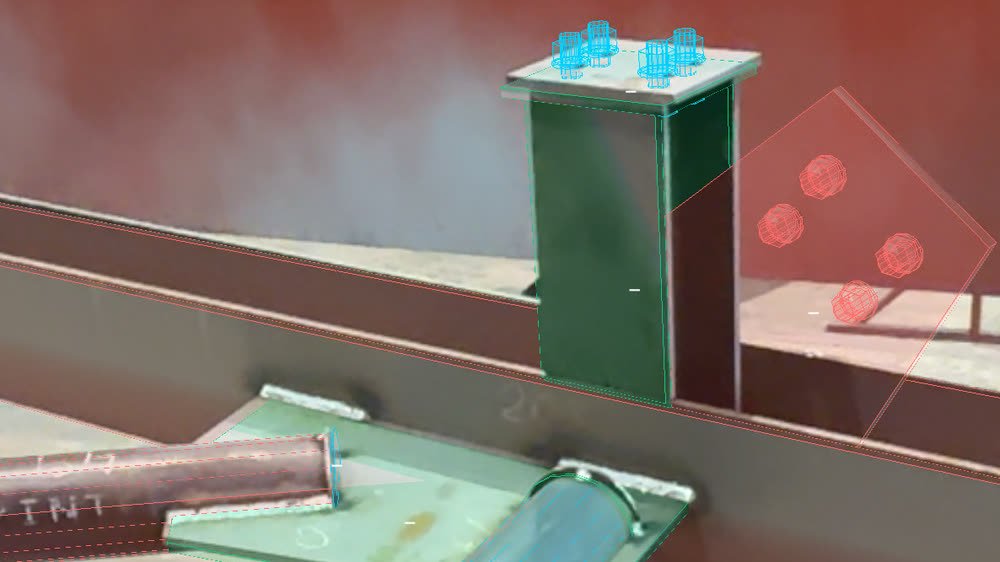
ValidAR overlays the 3D model onto the real assembly and compares fit-up part by part. The fitter sees what fits, what is missing and what is out of position before the assembly is finished.
No new hardware
Runs on the iPad or phone already in your shop.
Self-positioning
Image detection: no markers, no manual calibration.
Fully logged
Every validation reaches the engineering office instantly.
The problem
A fit-up error caught late is expensive
The cost grows with every hour before it is caught. And the cause is often simple: a misread drawing.
With ValidAR there is far less to interpret: the fitter sees the model on the steel, not a drawing to translate.
If caught late
Shop rework
Cutting, grinding welds off and re-fitting a finished assembly.
With ValidAR
The error shows up during fit-up, before the assembly is finished.
If caught late
Scrapped material
Sections and plates that are no longer good for anything.
With ValidAR
It gets fixed while it still can be, before the material is wasted.
If caught late
Site delays
The error shows up at erection, with the crane waiting.
With ValidAR
The assembly leaves the shop checked against the model.
If caught late
Penalties
Client claims and missed deadlines.
With ValidAR
Every assembly is logged: who validated it, when and against which drawing revision.
On the shop floor
Point, validate, keep fitting
Two actions from the fitter; the app does the rest. They see the virtual assembly over the physical one — no drawing to interpret — and they do not wait until the assembly is finished: they check as they go whether it is being built right. Anyone can see at a glance how a colleague’s assembly is going, with nothing to configure and no change to how the shop works.
Step 01
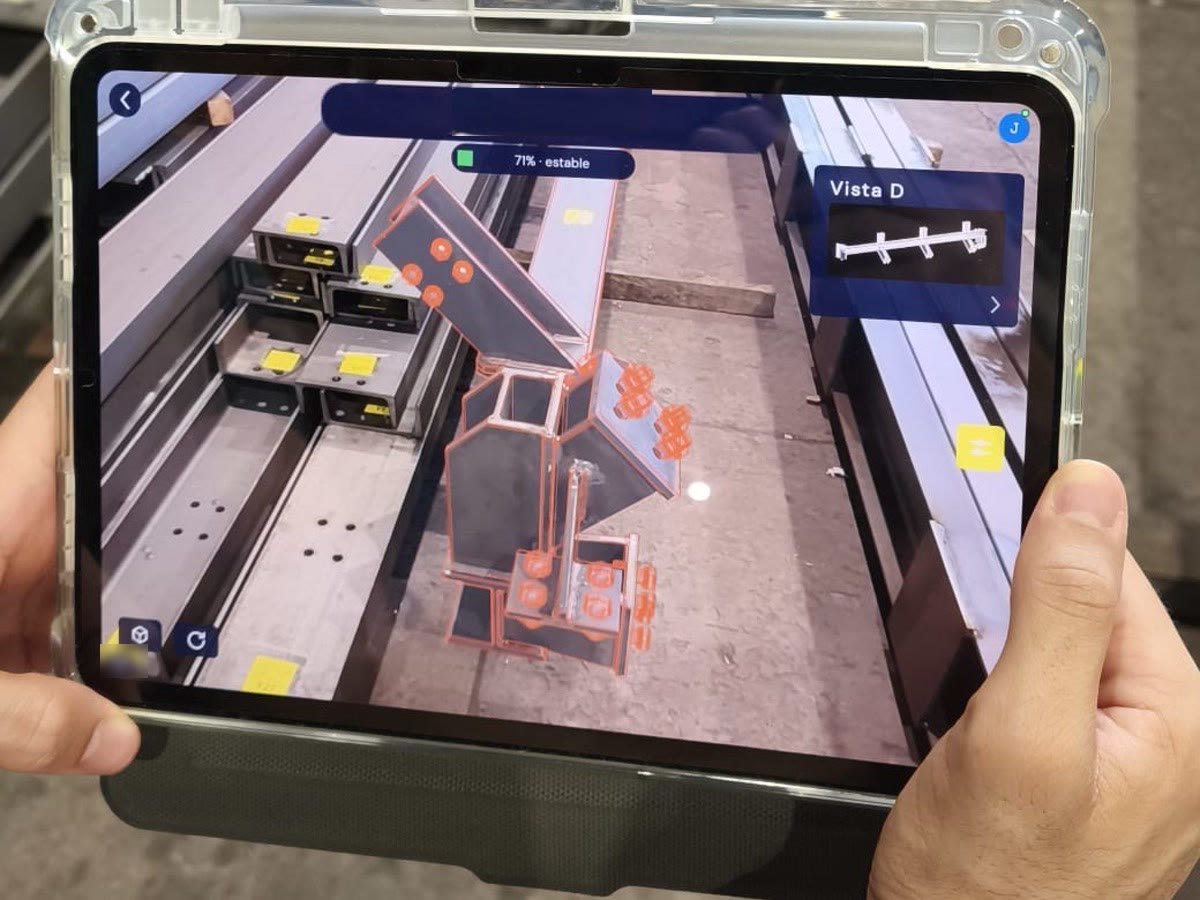
Point the tablet
Open the app, pick the assembly and point at the steel. Nothing to stick on the part, nothing to align by hand.
Step 02
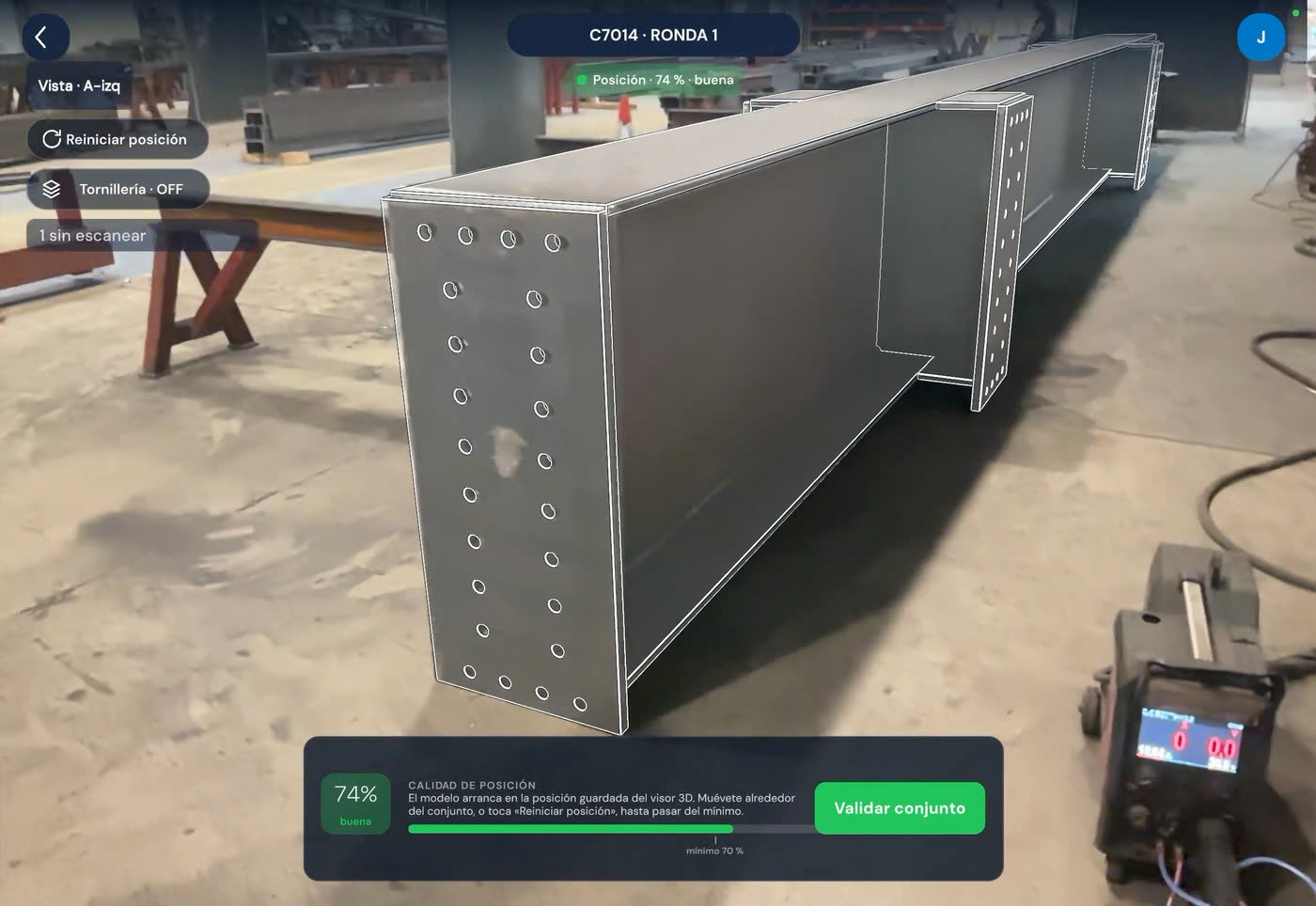
The model locks onto the steel
The model places itself on the real structure by image detection, and stays on it as you move around. The app shows tracking quality at all times.
Step 03
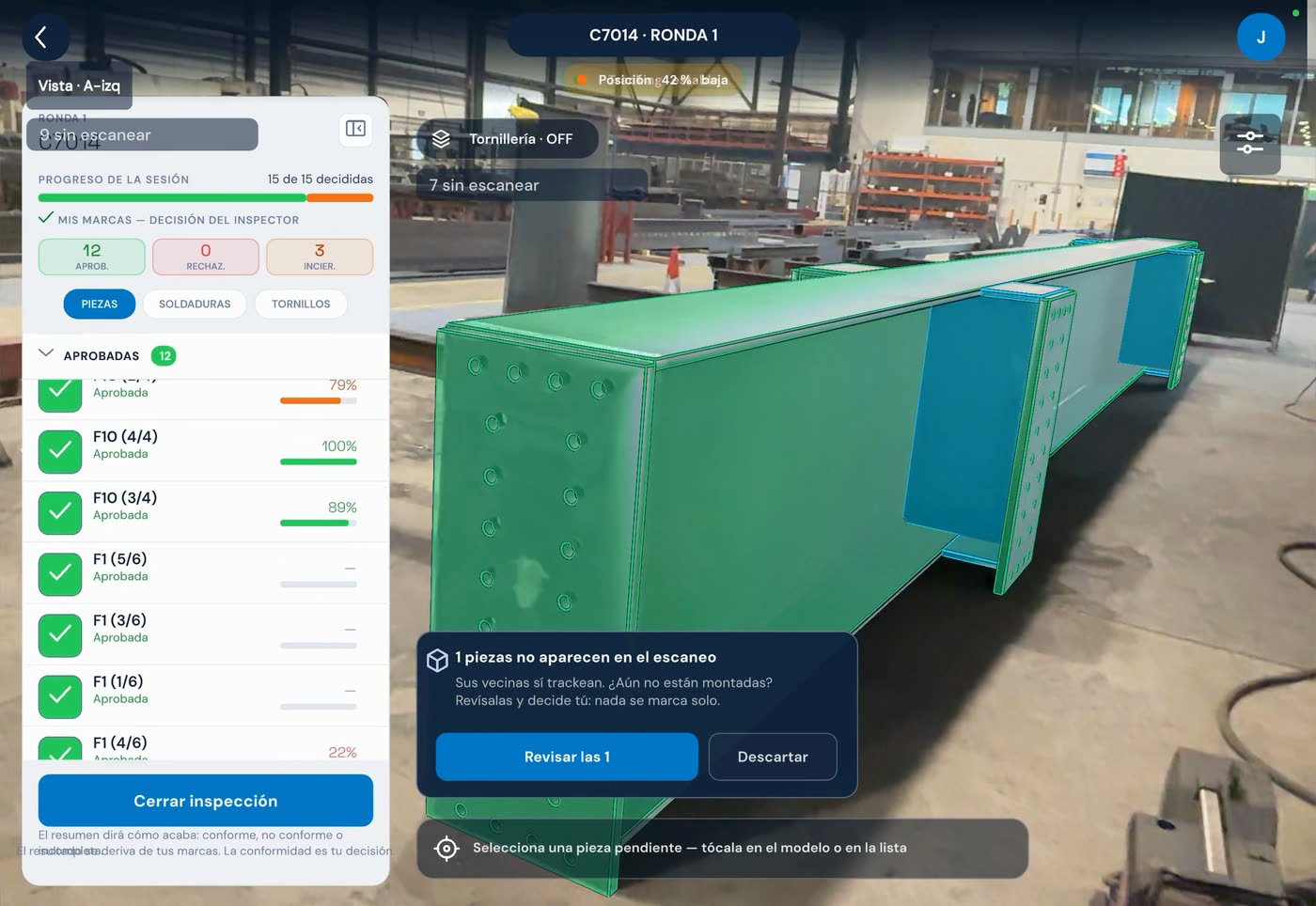
Validate part by part
Each part is compared against the model and marked validated or returned. Dimensions are overlaid on the real structure.
Step 04
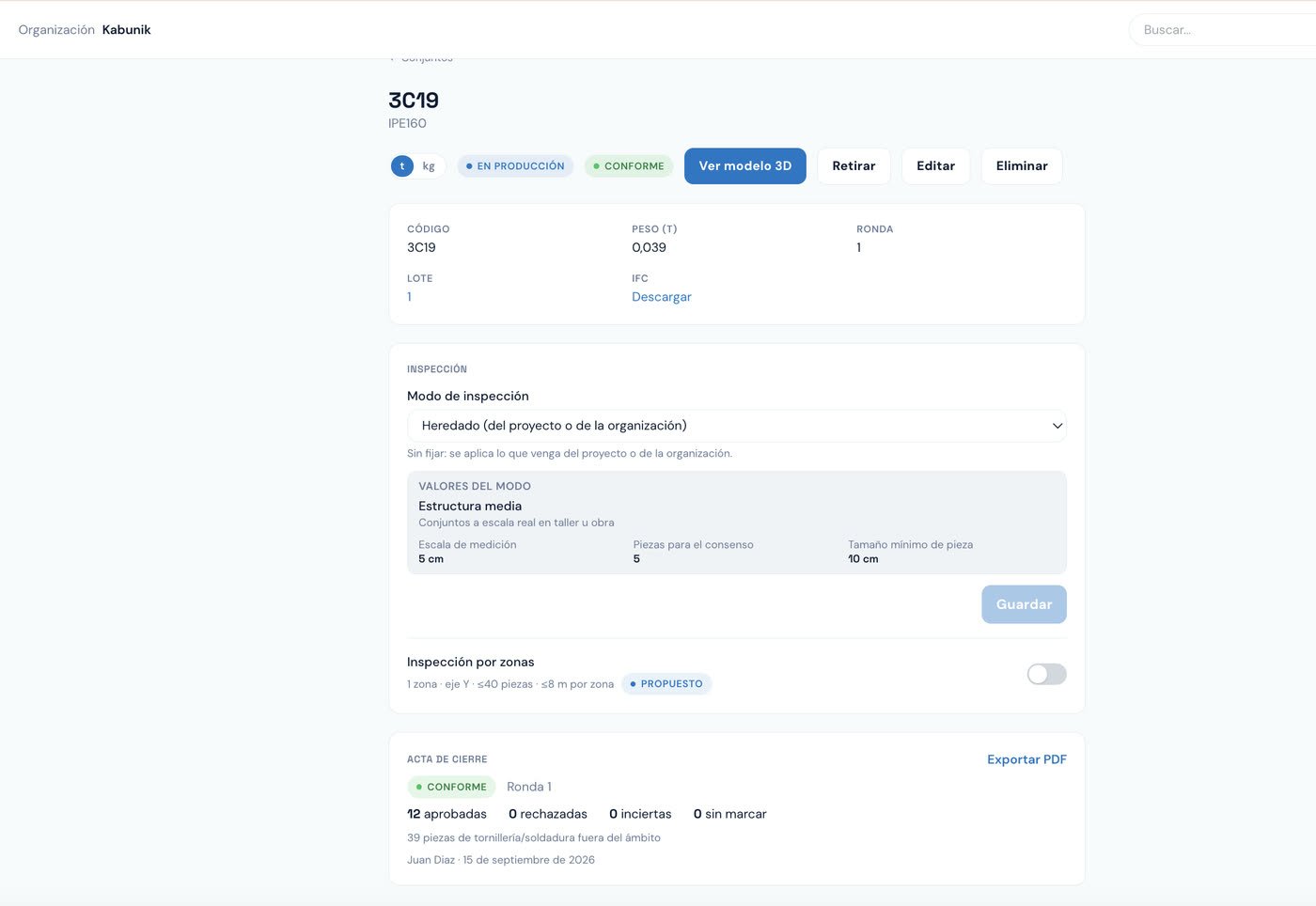
The office sees it instantly
The assembly status updates by itself. Who validated, when, and against which drawing revision is all logged.
What ValidAR does that a visual check cannot
Automatic positioning
Image detection on the structure itself: nothing to stick on the steel and nothing to align by hand.
Automatic comparison
The system compares what is fitted against the model and flags what is missing or out of position. What the eye can miss gets marked; the decision remains the inspector’s.
Dimension overlay
Model dimensions appear on the real structure, in the same view where the work happens.
Drawing traceability in the shop
Which revision was built, who validated it and when. No paperwork.
Information in the cloud
From model to device with no USB sticks or shared folders. The office releases, the shop receives.
Documented quality control
Every assembly leaves the shop with its validation record, ready to hand to the client.
Comparison
Where the difference shows
| Criterion | ValidAR |
|---|---|
| Model positioning | Automatic by image detection, no QR codes |
| Fit-up checking | Assisted, with bulk approval |
| Dimensions | Overlaid in the AR view |
| Device | iPad or phone already in the shop |
| Getting the model to the shop | In the cloud, released from the office |
| Quality record | Automatic per part, with author and time |
Engineering office
Shop and office speak the same language
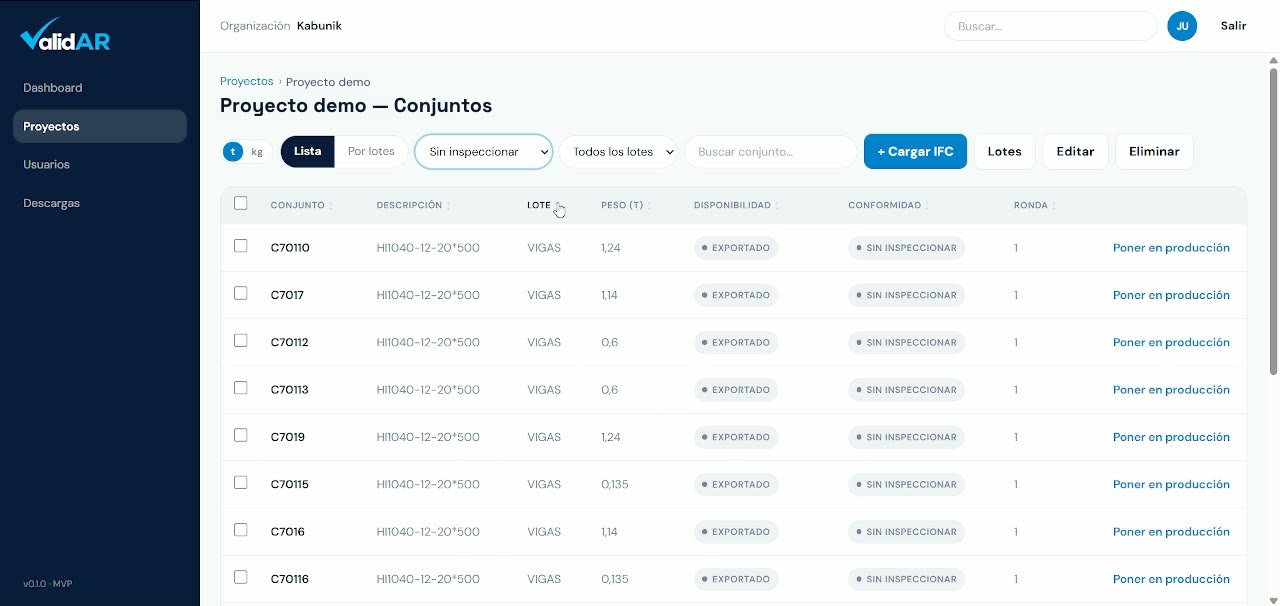
An assembly has one status, and it is the same in the office and in the shop. Nobody phones to ask where a part stands.
- The office releases the assemblies that are ready to inspect.
- The shop validates or returns, with the reason recorded on the part.
- Project progress is measured in validated tonnage, not in a spreadsheet.
What each role gains
Management
Less rework, deadlines that hold
Errors are paid for in shop hours. Catching them before the assembly is finished is the difference.
Production & QA
Systematic control, not sampling
Every assembly gets the same check, with a record to hand to the client.
Engineering
The model reaches the shop with no extra work
Assemblies are published from the model you already have. Nothing to remodel.
Fitter
See the part, don’t read the drawing
The model on the steel, at full size. No guesswork, no complex training.
Early access
The first shops are already in
Shops joining now get special terms and hands-on support during rollout, working with their own model from day one.
- Special license terms for the first year.
- Rollout with your own model and your real assemblies.
- Your feature requests move ahead in the queue.
Book a demo
30 minutes with one of your assemblies. We will tell you whether ValidAR fits your shop.
We reply within one working day. No cold sales calls.
Frequently asked questions
Do I need to buy hardware?
No. ValidAR runs on a recent iPad or phone. No headsets, no dedicated equipment.
How long does positioning take?
With a clear view of the assembly, seconds. Positioning is automatic by image detection: no markers to stick, no manual alignment. If the piece is poorly lit, highly repetitive or only visible edge-on, it can take longer; the app shows tracking quality at all times, so you know when it has locked on.
Does it work with my current model?
Yes. Assemblies come from the model your engineering office already has and are prepared in the cloud. Nothing to remodel.
Will my fitters be able to use it?
Yes. Point, validate, move on to the next part. No complex training and no change to the workflow.
What if a part is fitted wrong?
The assembly is marked returned with the reason recorded. The office sees it instantly and re-releases it once corrected.
Where is my data stored?
In the cloud, separated by organization and project, with role-based access. Your models are never shared.
Bring us an assembly. We’ll validate it.
In the demo we use your model and one of your real parts, not a canned example.